
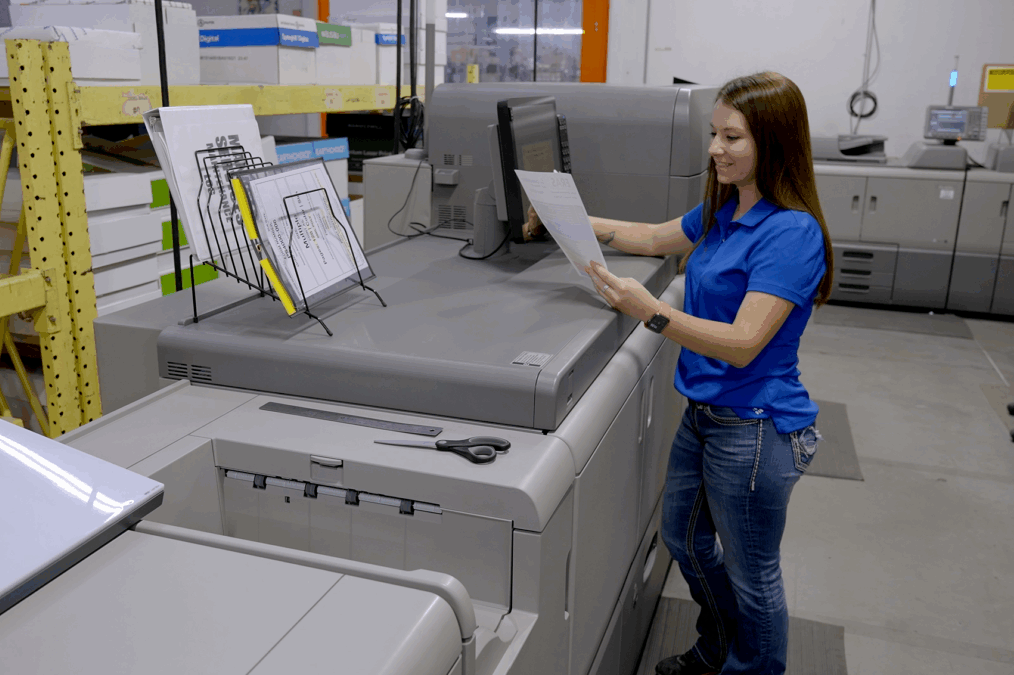

Printing costs can be difficult to control when expenses are spread across printers, toner, paper, repairs, maintenance, and employee time. A few unnecessary print jobs may not seem important.
In a busy office, however, these small inefficiencies can quickly add up. You may also have older devices that consume more resources or printers that are rarely used but still require regular support.
A more structured approach gives you a clearer view of where your printing budget goes. Managed print services bring devices, supplies, maintenance, usage data, and print policies into one coordinated system.
Instead of reacting to problems as they appear, you can identify waste and address the causes behind it. Here are five practical ways managed print services can help you lower printing costs without disrupting everyday work.
1. Audit Print Costs
Using managed print services, you can start with a detailed assessment of your current print environment. The assessment can reveal how many devices you operate, how often each device is used, and where printing expenses are concentrated. That information gives you a realistic baseline before you make changes.
You may discover that several departments rely on separate printers for similar tasks. Some devices may handle very low volumes, while others operate close to their limits. These patterns help you identify where equipment consolidation or changes can reduce your overall costs.
You can also compare printing costs across departments to see which areas generate the highest expenses. This makes it easier to focus cost-saving efforts where they can have the greatest impact.
A clear cost baseline also makes future decisions easier. Rather than replacing equipment based on age alone, you can consider print volume, operating costs, supply use, and business requirements. This approach helps you invest in equipment that delivers practical value for your business.
2. Right-Size Printer Fleet
Too many printers can quietly increase operating expenses. Every additional device can require toner, paper, maintenance, repairs, energy, and administrative attention. If several printers perform similar functions, maintaining all of them may offer little financial benefit.
Fleet right-sizing enables you to align your equipment with actual business needs. Devices that are designed to withstand heavier workloads can be allocated to high-volume departments, and fewer machines can be required in lower-volume areas.
Consolidating redundant equipment can also reduce the number of supplies and service arrangements you need to manage. Monitoring the frequency of repairs can also be useful to detect recurring issues with particular devices.
When a printer needs to be serviced repeatedly, it may be more economical to replace the printer than to keep paying for repairs. This means that you can evaluate the operational costs for many years, rather than just one service call.
The result is a more effective printer fleet rather than simply a smaller one. You still have access to the equipment your employees need, but unnecessary devices no longer consume part of your operating budget. With time, such a difference can be significant.
3. Control Supply Waste
Toner and paper expenses can become unpredictable when employees order supplies independently or when inventory is not monitored closely. You might have unused cartridges lying around, and some other department is out of toner. Unnecessary costs and interruptions can also be caused by emergency orders.
Managed print programs can monitor supply levels and arrange replenishment based on actual usage. That saves the process of ordering manually and helps to avoid excess inventory. You can also have a better insight into the amount of paper and toner used by individual devices.
Print tracking can also influence employee behavior. In a field experiment, research concluded that information systems that gave feedback on printing behavior significantly decreased the amount of paper printed. Providing the employees with more precise data concerning their output can thus underpin viable waste-control measures.
4. Prevent Repair Costs
Unexpected printer failures can cost more than the repair bill alone. When a critical device stops working, employees may lose productive time, work may be redirected to another printer, and urgent service can become necessary. Repeated problems can also signal that equipment no longer fits your workload.
Proactive maintenance helps you address equipment issues before they become major disruptions. Usage monitoring can identify devices that need attention, while scheduled service reduces the risk of avoidable failures. You can also use performance data to identify equipment that may be becoming inefficient.
Centralized monitoring gives you greater control over the print environment. Modern network printing systems can provide feedback and control options that support more effective management of connected devices. Better visibility means fewer decisions have to depend on guesswork.
5. Streamline Print Workflows
Printing costs are not limited to paper, toner, and equipment. Employee time also has a financial value. If your staff spends hours troubleshooting printers, requesting supplies, managing print queues, or handling document processes manually, those tasks can pull attention away from core responsibilities.
Workflow improvements can reduce that hidden cost. Routine processes can become easier to manage through automated supply management, centralized support, print policies, and digital document routing.
Other features like default duplex printing may also save on the amount of paper when two-sided documents are required by your business. Clear print policies can also encourage more efficient habits, such as using digital documents when a physical copy is unnecessary. Over time, these small changes can reduce both material use and employee effort.
The greater advantage comes from connecting these improvements. When all your devices, supplies, maintenance, usage information, and workflows are managed in a single approach to management, you will be able to visualize where you are losing money, so you can act more promptly. You are not simply printing less. You are developing a less costly and easier-to-use print environment.
Conclusion
Reducing printing costs requires more than buying cheaper toner or asking employees to print less. You need to monitor device usage, supply consumption, maintenance requirements, workflow inefficiencies, and unnecessary printing. Managed print services unify these areas to enable you to find waste, right-size equipment, control supplies, and lower unnecessary operating costs.
Begin with an overview of your existing print environment. Count your devices, examine usage, identify recurring supply and repair expenses, and look for duplicated equipment. When you understand where your money is being spent, you can make targeted adjustments while keeping the printing resources your team needs.